A quick start guide to coding with Pi and Qwen locally
Based on feedback from my Pi on a local model workshop: a one-slide quick start guide to running Pi and Qwen for local coding on a Mac.
Based on feedback from my workshop on Pi on a local model, I’ve created this one-page quick start guide to getting ramped up on running Pi and Qwen for local coding on a MacBook or macOS environment. The slide has all the links and pieces you need to get going very quickly.
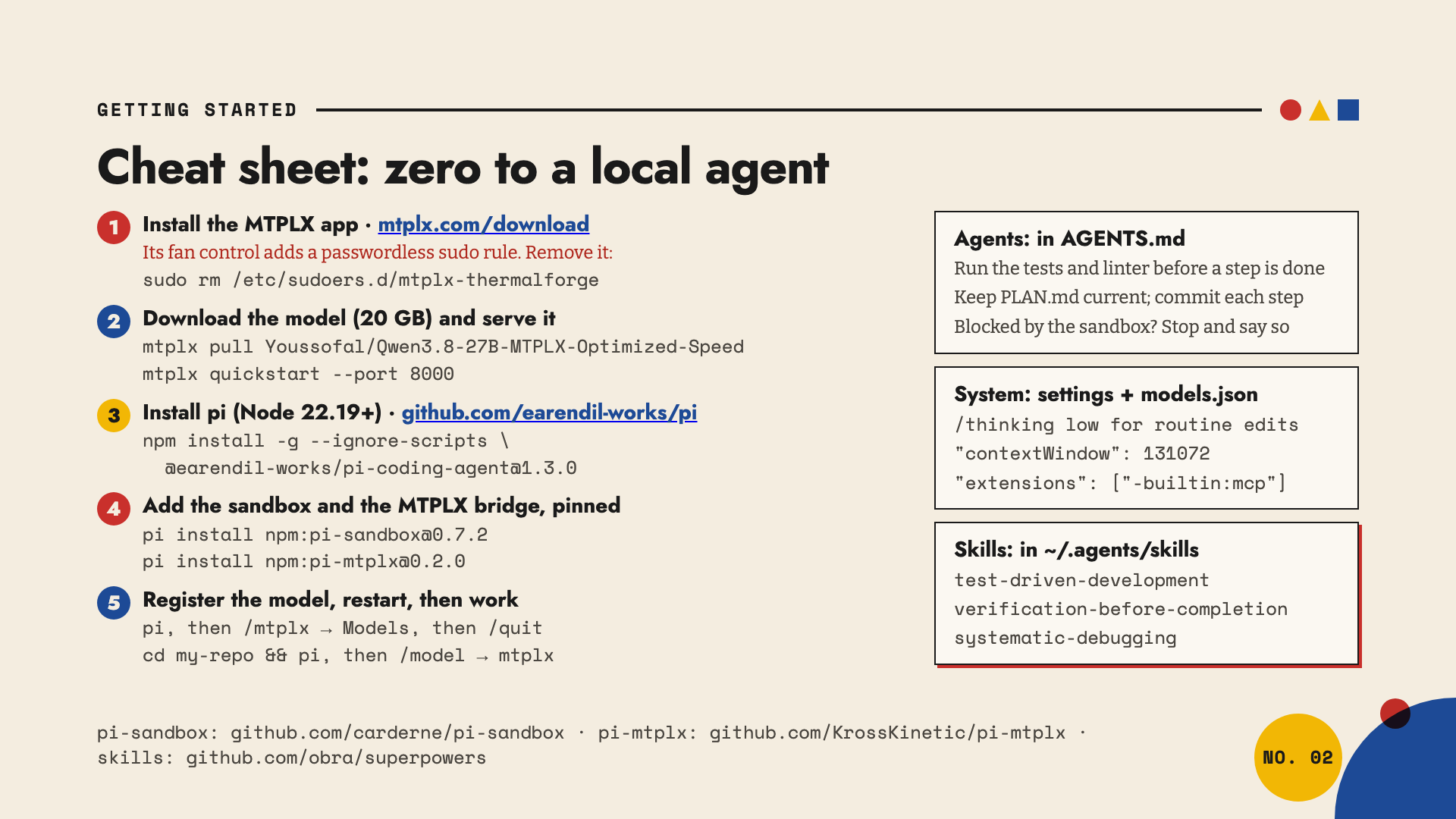
The quick steps are here
Install the MTPLX app from mtplx.com/download, then open a new terminal so the
mtplxcommand is on your path. Its fan control adds a passwordless sudo rule. Remove it:sudo rm /etc/sudoers.d/mtplx-thermalforgeDownload the model (20 GB) and serve it:
mtplx pull Youssofal/Qwen3.8-27B-MTPLX-Optimized-Speed
mtplx quickstart --port 8000
Install pi (Node 22.19 or newer) from github.com/earendil-works/pi:
npm install -g --ignore-scripts @earendil-works/pi-coding-agent@1.3.0Add the sandbox and the MTPLX bridge, pinned (pi-sandbox and pi-mtplx):
pi install npm:pi-sandbox@0.7.2
pi install npm:pi-mtplx@0.2.0
Register the model, restart, then work. Start
pi, then/mtplx→ Models, then/quit. Then, in your repo:cd my-repo && piand pick the model with
/model→ mtplx.
First session recommendations
In AGENTS.md:
- Run the tests and linter before a step is done
- Keep PLAN.md current; commit each step
- Blocked by the sandbox? Stop and say so
In pi’s settings:
/thinking lowfor routine edits"contextWindow": 131072in models.json"extensions": ["-builtin:mcp"]in settings.json
Skills, copied into ~/.agents/skills from obra/superpowers:
- test-driven-development
- verification-before-completion
- systematic-debugging
Tested on pi 1.3.0 and MTPLX 2.12 in October 2026.
The rest of the deck has some great tips on optimizing your context window, better ways of coding with this Qwen model, and a lot of other great info. But the new quick start guide will hopefully get you up and running.